GitHub Copilot
AI-powered code completion tool that speeds up software development with real-time suggestions.
Category:
Development & CodingPricing:
Freemium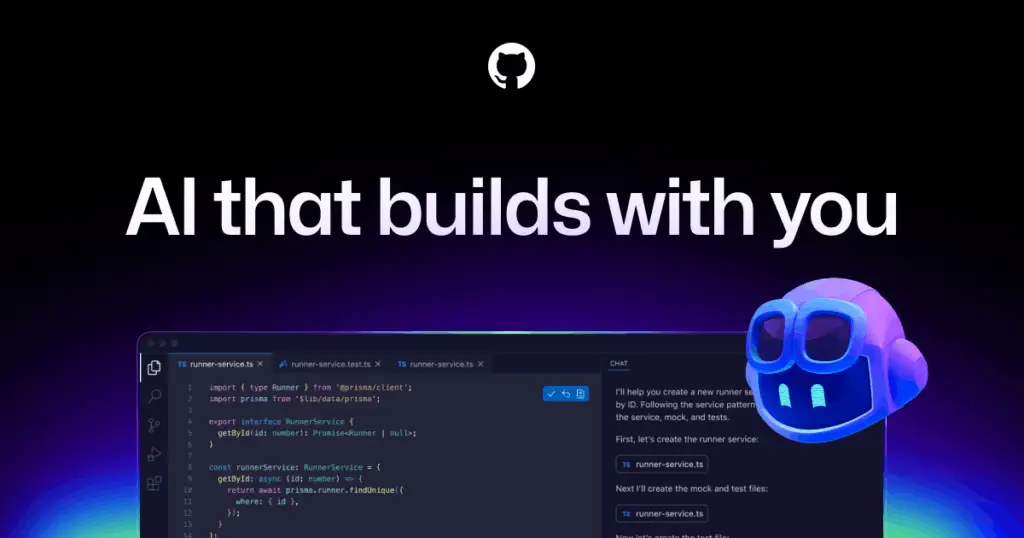

Boost Developer Productivity with AI-Powered Code Suggestions
GitHub Copilot is an AI-powered coding assistant designed to help developers write code faster and with fewer errors. Its goal is clear: eliminate repetitive tasks and boilerplate by suggesting entire lines or blocks of code in real time. Built into Visual Studio Code, Visual Studio, Neovim, and JetBrains IDEs, Copilot integrates seamlessly with your existing setup—no special hardware required.
Users appreciate its low learning curve: you write a comment or start typing, and Copilot completes your code with context awareness. Security is handled through GitHub’s robust compliance standards; private code stays private, and suggestions are drawn from a broad training set. It scales easily for individuals, teams, and enterprises with multi-seat licensing. Regular updates and model improvements future-proof your workflow. Overall, GitHub Copilot turns every developer into a more productive, creative problem solver.
“GitHub Copilot is truly remarkable. It has fundamentally changed the way I write code every day.”
— Cassidy Williams, CTO at Contenda, in an interview with The Verge
“It’s like pair programming with a robot. Copilot writes entire functions that actually work!”
— Thomas Dohmke, CEO of GitHub, at GitHub Universe 2022
 Key Features:
 Key Features:
-
Contextual Autocomplete: Get real-time suggestions for lines and entire blocks of code.
-
Multi-Language Support: Write in dozens of languages including Python, JavaScript, TypeScript, Go, Ruby, and more.
-
IDE Integration: Works inside VS Code, Visual Studio, JetBrains, and Neovim with minimal setup.
-
Code Snippet Learning: Learns your coding patterns over time to improve suggestions.
-
Real-Time Pair Programming: Feels like coding with a virtual AI partner by your side.
-
Secure by Design: Code suggestions are generated securely with no training on your private repos.
-
Team & Enterprise Ready: Scales easily with policy controls and team license management.
 Why Use GitHub Copilot?
 Why Use GitHub Copilot?
-
Save Time: Automate repetitive code writing and boilerplate generation.
-
Increase Accuracy: Reduce bugs with syntactically correct, context-aware code suggestions.
-
Learn Faster: Improve coding skills by seeing how Copilot solves problems in real time.
-
Scales for Teams: Great for individuals and enterprises alike with GitHub-backed security and compliance.
 FAQ
FAQ
 FAQ
FAQWhat is GitHub Copilot?
GitHub Copilot is an AI-powered coding assistant that suggests entire lines or blocks of code inside your favorite IDE.
What makes GitHub Copilot different from Cursor?
Copilot is an AI autocomplete plugin built into existing IDEs, while Cursor is a dedicated IDE fork with deeper multi-file editing, chat-based workflows, and AI agents.
Is GitHub Copilot free or paid?
GitHub Copilot is freemium: free for verified students and open source maintainers; paid plans start at $10/month for individuals and scale for teams.
Does GitHub Copilot offer integrations?
Yes, Copilot integrates natively with VS Code, Visual Studio, JetBrains, and Neovim IDEs with simple extensions.
How does GitHub Copilot handle privacy?
GitHub Copilot uses secure infrastructure, does not train on your private code, and follows GitHub’s strict privacy practices for enterprise-grade compliance.
Level up your Development & Coding workflows
Explore GitHub Copilot
Official website


