Self-Hosted AI: What You Need and Where to Run It
Run AI agents, models, and automation on your own VPS instead of paying for a hosted API. Here's what each layer needs.
Docker
NVIDIA
Hugging Face
PostgreSQL
Redis
Meta (Llama)
Mistral AI
Cloudflare
Supabase
Grafana
Ollama
n8n
Open WebUI
LangChain
LangGraph
CrewAI
Flowise
Dify
LocalAI
vLLM
Langflow
AnythingLLM
LibreChat
Node-RED
Activepieces
Windmill
Qdrant
Weaviate
Chroma
Milvus
MinIO
Traefik
Caddy
Portainer
Stability AI
ComfyUI
Whisper
RAGFlow
Onyx
Khoj
Docker
NVIDIA
Hugging Face
PostgreSQL
Redis
Meta (Llama)
Mistral AI
Cloudflare
Supabase
Grafana
Ollama
n8n
Open WebUI
LangChain
LangGraph
CrewAI
Flowise
Dify
LocalAI
vLLM
Langflow
AnythingLLM
LibreChat
Node-RED
Activepieces
Windmill
Qdrant
Weaviate
Chroma
Milvus
MinIO
Traefik
Caddy
Portainer
Stability AI
ComfyUI
Whisper
RAGFlow
Onyx
Khoj
Self-hosted AI in five points
- There are four layers, not one: agent frameworks, model runtimes, automation platforms, and chat interfaces. Most real setups combine two of them.
- The model decides your specs. If you call a hosted API, almost any VPS works. If you run the model locally, RAM or GPU becomes the entire cost.
- Cheap tier (2 vCPU / 4 GB): agents, chat interfaces, and automation platforms that call an external API.
- Serious tier (4 vCPU / 16 GB+): running a 7B–13B model yourself, fully private, no external API calls.
- GPU tier: only genuinely required for image generation, high-throughput serving, or large models at speed.
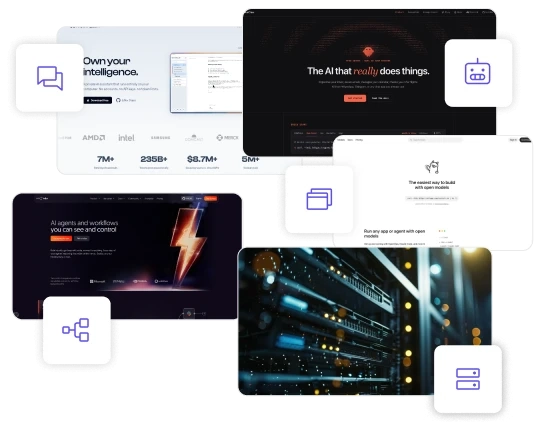
The three layers of self-hosted AI
Almost every confusion about self-hosted AI comes from treating these as one category.
They solve different problems, and they have very different hardware requirements.
Agent frameworks:
software that acts
Take a language model and let it do things: read files, call APIs, run commands, message you on chat apps. The framework is the orchestration layer — it doesn't contain a model of its own.
Model runtimes:
software that thinks
software that thinks
Load and serve the language model itself. This is the piece that replaces the OpenAI or Anthropic API — and the one that decides whether you need 8 GB or 64 GB of RAM.
Automation platforms: software that connects
Wire AI into everything else: inboxes, CRMs, spreadsheets, webhooks. They usually call a model rather than host one, which keeps them light to run.
Chat interfaces:
software that talks
software that talks
Give you a private, ChatGPT-style window onto a model. Light on their own — the real cost sits in whatever model they point at.
What actually determines your VPS specs
One question decides your bill: are you hosting the model, or calling someone else’s?
- If you call a hosted API (OpenAI, Anthropic, Gemini, OpenRouter), your server only runs the interface or agent. That is a small, cheap workload — 2 vCPU and 4 GB of RAM is comfortable for most setups, and the AI cost shows up as API usage instead of hardware.
- If you host the model too, the model's size becomes your spec sheet. As a working rule, a quantised 7B model needs roughly 5 GB of RAM, so 8 GB is a realistic floor and 16 GB gives you room for the model plus everything around it. Larger models scale from there. CPU-only inference works and is genuinely usable for personal workloads, but it is slower than GPU inference — that trade is the real decision, not whether it runs at all.
- You need a GPU when you are generating images, serving many concurrent users, or running larger models at conversational speed. For a single user chatting with a 7B model, a CPU VPS with enough RAM is usually sufficient.
Four self-hosted AI stacks that actually get used
STACK 1
Agent + hosted API
Run OpenClaw or PicoClaw against GPT, Claude, or an OpenRouter model. You own the automation and the data flow; the model stays external. The cheapest way into self-hosted AI.
Best for: a personal AI assistant
VPS: 2 vCPU / 4 GB
STACK 2
Automation + hosted API
Run n8n AI workflows: summarise inbound email, enrich CRM records, generate drafts on autopilot. Same light footprint, far wider integration surface.
Best for: AI workflow automation
VPS: 2 vCPU / 4 GB
STACK 3
Agent + local model
Pair OpenClaw or Open WebUI with Ollama. Nothing leaves your server — no API bills, no per-token cost. Where self-hosted AI becomes genuinely private.
Best for: private,
offline AI
offline AI
VPS: 4 vCPU / 16 GB
STACK 4
Full local stack
Run n8n, Ollama, Postgres, and a vector database together. Automation, inference, and storage all under your control.
Best for: teams with data that can't leave
VPS: 4 vCPU / 16 GB+
Running AI in the EU?
Self-host on EU infrastructure and your data never leaves your server, with no US API and far simpler GDPR and EU AI Act compliance.
See automation comparisons
Frequently asked questions
Can you run self-hosted AI on a VPS?
Yes. Self-hosted AI runs well on a standard VPS. Agent frameworks, chat interfaces, and automation platforms run comfortably on 2 vCPU and 4 GB of RAM. Hosting the language model yourself requires more — typically 8 to 16 GB of RAM for a 7B model.
How much RAM do you need for self-hosted AI?
It depends on the layer. Self-hosted AI tools that call an external API need 2 to 4 GB. Running a quantised 7B model locally needs roughly 8 GB minimum, with 16 GB recommended. Larger models and image generation require substantially more, usually with a GPU.
Do you need a GPU for self-hosted AI?
Not always. Self-hosted AI on CPU works for single-user chat with small and mid-size models, using tools like Ollama or llama.cpp. A GPU becomes necessary for image generation, serving multiple concurrent users, or running larger models at conversational speed.
What is the difference between an AI agent framework and a model runtime?
In self-hosted AI, an agent framework such as OpenClaw or CrewAI orchestrates actions — calling tools, reading files, running tasks. A model runtime such as Ollama or LocalAI serves the language model itself. The framework needs a model, so the two are commonly run together.
Is self-hosted AI free?
The software usually is. Most self-hosted AI tools are open source, though some use source-available licences with conditions on commercial or embedded use — worth checking each project’s current terms. You still pay for the server, and for API usage if you call an external model.
What is the cheapest way to self-host AI?
The cheapest self-hosted AI setup is a lightweight agent or automation platform on a small VPS, calling a hosted model API. That runs on 2 vCPU and 4 GB of RAM. Hosting the model yourself removes API costs but requires a considerably larger server.