LangGraph vs CrewAI
Two Python frameworks for multi-agent systems: LangGraph for stateful, controllable workflows; CrewAI for role-based agent teams and fast prototypes. Here's how to choose.
LangGraph vs CrewAI at a glance
Both Python frameworks
LangGraph and CrewAI both build multi-agent systems in Python — they compete, but with different mental models.
Choose LangGraph
For complex, stateful production workflows with explicit branching, retries, checkpointing, and approvals.
Learning curve
LangGraph is steeper (graph thinking); CrewAI is gentler (crew, agent, and task metaphors).
Choose CrewAI
For role-based agent crews and fast multi-agent prototypes when time-to-value matters.
Maintainers
LangGraph comes from the LangChain team; CrewAI from an independent company.
Rule of thumb
Reads like a flowchart with branches and approvals? LangGraph. Reads like a job description with roles? CrewAI.
LangGraph vs CrewAI: full comparison
Two Python multi-agent frameworks side by side — across paradigm, control, state, observability, and learning curve. Based on the official docs and 2026 comparison guides.
| Dimension | LangGraph | CrewAI |
|---|---|---|
| Core paradigm | Graph-based state machine for agent workflows (nodes, edges, shared typed state). | Role-based multi-agent crews with agents, tasks, and flows. |
| Maintainers | The LangChain team. | CrewAI Inc. (independent company). |
| Orchestration | Explicit directed graphs with cycles, branching, retries, and subgraphs. | Crews and processes (sequential, hierarchical, collaborative) plus event-driven Flows. |
| Control flow | Developer-authored nodes and edges; strong emphasis on explicit control. | Role- and task-based processes; control expressed via crew definitions, not graphs. |
| State & memory | Typed shared state, checkpointing, time-travel replay; in-memory, SQLite, or Postgres. | Per-agent and shared crew memory; Flow state with optional persistence and resume. |
| Human-in-the-loop | Built-in interrupt at a node, inspect/edit state, and resume; designed for approvals. | Human input at task and Flow levels via callbacks; less granular than per-node interrupts. |
| Observability | Native LangSmith integration for tracing, debugging, and observability. | Enterprise-tier observability plus OpenTelemetry exports (Langfuse, Arize). |
| Learning curve Key difference | Steep — requires graph thinking and comfort with state machines. | Gentler — crew/agent/task metaphors are closer to human team models. |
| Production readiness | Highly suited to complex, stateful workflows with audit requirements. | Production-ready for many role-based workflows, especially with CrewAI Cloud/enterprise. |
| Best-fit use cases | Complex, stateful pipelines with branching, loops, crash recovery, and approvals. | Role-based collaboration, content and research pipelines, rapid multi-agent prototypes. |
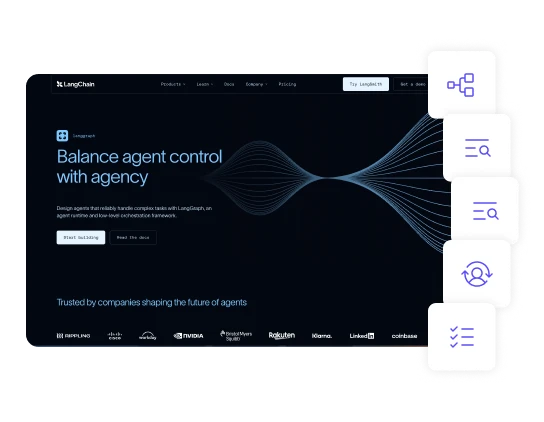
What LangGraph is best at
LangGraph is the stronger choice when stateful, controlled, and auditable workflows matter most:
- Complex, stateful production pipelines with deterministic control flow and persistent checkpointing.
- Explicit control over branching, retries, loops, and conditional edges.
- Checkpointing, crash recovery, and replay — resume from the last completed node, replay runs for audit.
- Human-in-the-loop approvals — interrupt at a node, inspect or edit state, then resume.
- Native tracing and observability through LangSmith.
What CrewAI is best at
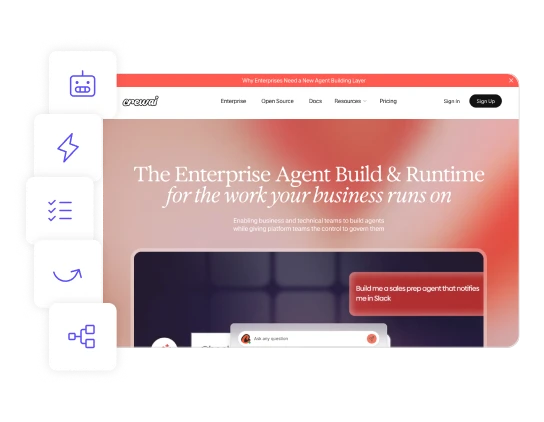
CrewAI is the stronger choice when role-based collaboration and fast prototyping are the priority:
- Role-based agent crews — agents with distinct roles, goals, and backstories that collaborate.
- Fast multi-agent prototypes — a working system with fewer lines of code and less setup than LangGraph.
- Structured collaboration for content and research pipelines that split into specialist roles.
- A gentler learning curve — crew, agent, and task metaphors close to human team models.
- A Flows layer that adds structured control and durability on top of Crews.
LangGraph vs CrewAI: VPS requirements
Both frameworks are Python apps, and hosting guides largely treat them the same. RAM comes from your agents, state, and backing stores (database, cache, vector store) rather than the framework itself.
| Scenario | LangGraph | CrewAI |
|---|---|---|
| Small app, basic persistence | 2 vCPU / 8 GB / ~100 GB (4 GB works but leaves little room) | 1 vCPU / 4 GB for a light flow; 2 vCPU / 8 GB starter |
| Multi-agent + heavier services | 4 vCPU / 16 GB / ~200 GB NVMe — app, worker, Postgres, Redis, plus a vector store or browser tool on one VPS | |
| Multi-agent fleet Memory-bound | ~32 GB for 5–10 agents with shared memory + a modest vector store; 64 GB+ as fleets or histories grow | |
Read these figures carefully: neither LangGraph nor CrewAI publishes an official VPS sizing table — these are documented patterns from third-party hosting and comparison guides. RAM comes from your agents, state, and backing stores rather than the framework itself, so a crew holding shared state is a memory problem: plan 32 GB+ for real fleets. Benchmark your actual workload.
Frequently asked questions
Are LangGraph and CrewAI direct competitors?
Yes, but they target different mental models. CrewAI is a framework for agent teams with roles and tasks; LangGraph is a framework for state machines with nodes, edges, and shared state. Many workflows could be built in either, so the choice comes down to how you prefer to model the problem.
Which is easier to start with?
CrewAI has the gentler learning curve, reaching a working multi-agent system faster and with fewer lines of code. LangGraph requires graph thinking and more upfront design, but that structure pays off on complex, stateful workflows.
Which gives more explicit control?
LangGraph. Its graph-based, checkpointed execution model gives explicit control over branching, retries, state transitions, and human approvals — which is why it’s favoured for regulated or mission-critical pipelines.
Which is better for role-based multi-agent collaboration?
CrewAI. It’s consistently recommended when a workflow splits naturally into roles such as researcher, writer, reviewer, analyst, or operator, and when collaborative hand-offs between agents are the core abstraction.
How much VPS do I need to just try them (no local models)?
For a small LangGraph or CrewAI app with basic persistence, 2 vCPU / 8 GB RAM / ~100 GB storage is a practical starter tier. Very light CrewAI flows that mostly call external APIs can run on 1 vCPU / 4 GB, though hosts describe that as tight once you add agents, persistence, or observability. These come from hosting guides, not official requirements.
What's a simple rule of thumb for choosing?
Choose CrewAI when your workflow reads like a job description with clear roles. Choose LangGraph when it reads like a flowchart with conditional branches, retries, and approvals. CrewAI optimises for time-to-value; LangGraph optimises for explicit control and auditability.
Capabilities and VPS figures here are drawn from the official LangGraph and CrewAI documentation and third-party comparison and hosting guides, and may change between releases. Neither project publishes official hardware minimums — measure your own workload before committing.