Grok
Conversational AI assistant with real-time X and web access, plus image, video and code generation.
Category:
Pricing:
Free
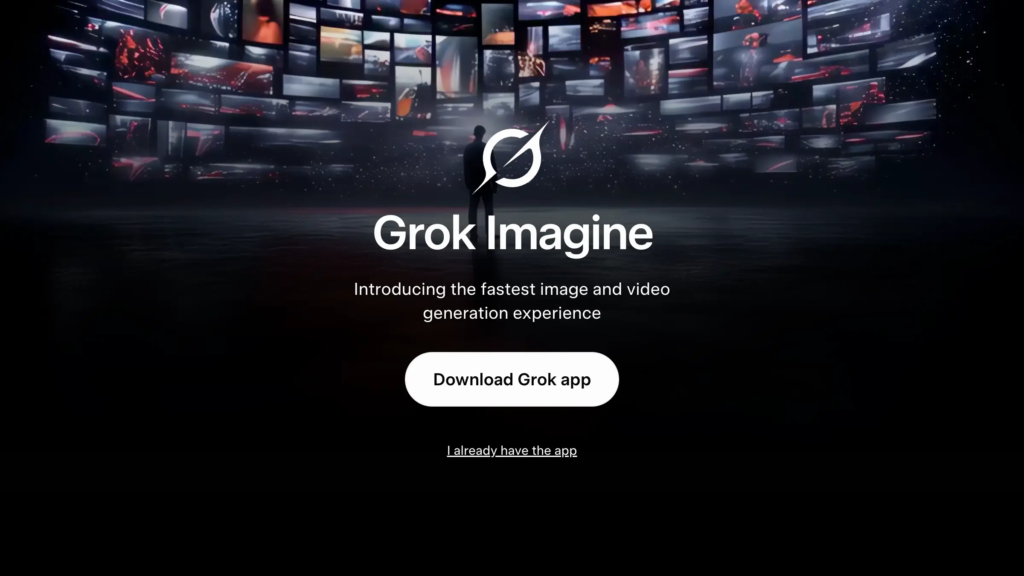
A conversational AI assistant with real-time access to X and the web, plus built-in image, video and code generation
Grok is a conversational AI assistant built by SpaceXAI (formerly xAI) for founders, marketers, journalists, researchers and developers who need current answers rather than replies frozen at a training cutoff. Beyond chat, it generates images and video through Grok Imagine, analyses uploaded files, writes and reviews code, and runs multi-step research, all from one interface on the web, mobile apps and inside the X app.
The core problem it solves is staleness. Most AI chatbots answer from static training data and lag behind live events. Grok’s defining feature is native, real-time access to the X platform and the open web, so it can summarise breaking news, gauge social sentiment and surface up-to-the-minute facts that rivals often miss, in a deliberately candid, less-filtered style.
No installation or special hardware is required. Grok runs in any modern browser and through free mobile apps, so a standard laptop or phone is enough. The interface is prompt-driven and most people are productive within minutes, with DeepSearch, Think and Expert modes and voice mode all a click away.
Grok is cloud-hosted, with terms and a privacy policy published at x.ai. Data handling deserves attention: on X, public posts and Grok interactions may train the models by default, with opt-outs in settings, and only the API and Business plans exclude your content from training. In 2026, Adversa AI also disclosed a prompt-injection flaw that could leak a user’s name, coarse location, plan tier and chat history from Grok’s web chat.
On capability it scales well, with a 500k-token context window, multi-agent Heavy configurations and an OpenAI-compatible API. A free tier lets you try the model, web and X search and image generation before SuperGrok plans unlock higher limits and video. The honest caveat, absent from Grok’s own site, is fit: it excels at real-time and social analysis, but for production coding, predictable moderation and regulated EU data it trails rivals such as Claude and GPT, and is better treated as a current-aware prosumer tool than a compliant enterprise core.
"It's the best tool for staying updated on breaking news and social media trends."
- Nataporn C., from G2 review of Grok
 Key Features:
 Key Features:
- Real-time X and web search: Answer current questions using live data from the X platform and the open web, with citations, instead of a fixed training cutoff.
- Grok Imagine: Generate and edit images and create video directly inside the chat, from quick visuals to short clips, without leaving the assistant.
- DeepSearch, Think Mode and Heavy: Run multi-step research and extended, visible-reasoning workflows, including a multi-agent Heavy mode on higher tiers, for complex problems.
- Voice mode: Hold a spoken, hands-free conversation with Grok on web and mobile, with a choice of natural voices across many languages.
- File uploads and analysis: Drop in PDFs, documents, spreadsheets, images, code and audio for Grok to summarise, extract and analyse directly in a chat.
- App connectors and MCP: Connect Gmail, Google Drive, Notion, GitHub, Slack, Linear, Salesforce and Microsoft 365 with read and write access, plus custom connectors via the Model Context Protocol.
- Custom instructions, agents, skills and workspaces: Set global behaviour, build specialist personas and repeatable command-driven workflows, and keep separate contexts with their own files and history.
- Grok Bot agentic execution: Run agent workflows on a persistent cloud environment that connects to external tools and automates tasks beyond pure conversation.
- Grok Build and Microsoft add-ins: A terminal coding agent plus free Grok add-ins for Word, Excel, PowerPoint and Outlook that embed the assistant inside apps you already use.
- OpenAI-compatible API with batch: Build on Grok programmatically for text, code, image, audio and video, with per-token pricing and batch support for large workloads.
 Why Use Grok?
 Why Use Grok?
- Real-time X and web access rivals cannot easily copy: Grok answers from the live X firehose and open web, so it handles breaking news, market moves and social sentiment while other assistants rely on stale training data.
- Media, code and chat in one assistant: Generate images and video with Grok Imagine, write and review code, and hold a normal conversation without switching tools or tabs.
- Deep app connectors with read and write access: Link Gmail, Google Drive, Notion, GitHub, Slack, Linear and Microsoft 365, plus custom Model Context Protocol servers, so Grok acts on your real work, not just copy-pasted text.
- A candid, less-filtered voice: Grok answers direct and sometimes uncomfortable questions in a deliberately conversational, less-corporate tone that many users prefer for brainstorming and current-events work.
- Usable free tier and an OpenAI-compatible API: Start at no cost, then scale from a single seat to programmatic, per-token usage that migrates from OpenAI by swapping the base URL and key.
 FAQ
FAQ
 FAQ
FAQWhat is Grok?
Grok is a conversational AI assistant built by SpaceXAI (formerly xAI) that answers questions using real-time data from the X platform and the open web, and can also generate images and video, write code and run multi-step research from a single interface.
What makes Grok different from ChatGPT?
ChatGPT answers mainly from trained knowledge with optional web browsing. Grok's defining edge is native, real-time access to the X platform and the live web, a candid and less-filtered conversational style, built-in image and video generation through Grok Imagine, and an OpenAI-compatible API that developers can migrate to by swapping the base URL and key.
Is Grok free or paid?
Grok is freemium. A free tier on grok.com and inside X gives access to the current model with web and X search on a weekly usage pool at no cost, though with strict limits. Paid SuperGrok plans are commonly priced at around $10 per month for SuperGrok Lite, $30 for SuperGrok, $100 for SuperGrok Plus and $300 for SuperGrok Heavy, unlocking higher usage, higher-resolution video and multi-agent research. Business plans are charged per seat and the developer API is billed per token.
Does Grok offer integrations?
Yes. Grok connectors link it to Google Workspace (Gmail, Drive, Calendar, Docs, Sheets), Microsoft 365 (Outlook, OneDrive, SharePoint, Teams), Notion, GitHub, Linear, Slack, Salesforce and HubSpot, with read and write access. It also supports custom connectors through the Model Context Protocol and offers free Grok add-ins for Word, Excel, PowerPoint and Outlook.
How does Grok handle privacy and data?
Grok is cloud-hosted, with terms of service and a privacy policy published at x.ai. On X, public posts and Grok interactions may be used to train the models by default, with an opt-out in privacy settings; a Data Controls toggle governs training in the Grok app, and Private Chat keeps a session out of history and training and deletes it from systems within about 30 days. The API and Business plans exclude your content from training, with zero-data-retention options. Note that in 2026 researchers at Adversa AI disclosed a prompt-injection technique against Grok's web chat that could exfiltrate a user's name, coarse location, plan tier and chat history, so treat sensitive or regulated data with caution.
Level up your Communication & Interaction workflows
Explore Grok
Official website
Tools Like Grok





Dialogflow by Google
Dialogflow: Google's NLP platform for building conversational agents across chat,…