Lovart
AI design agent that turns one prompt into logos, social content, ads and video
Category:
Pricing:
Freemium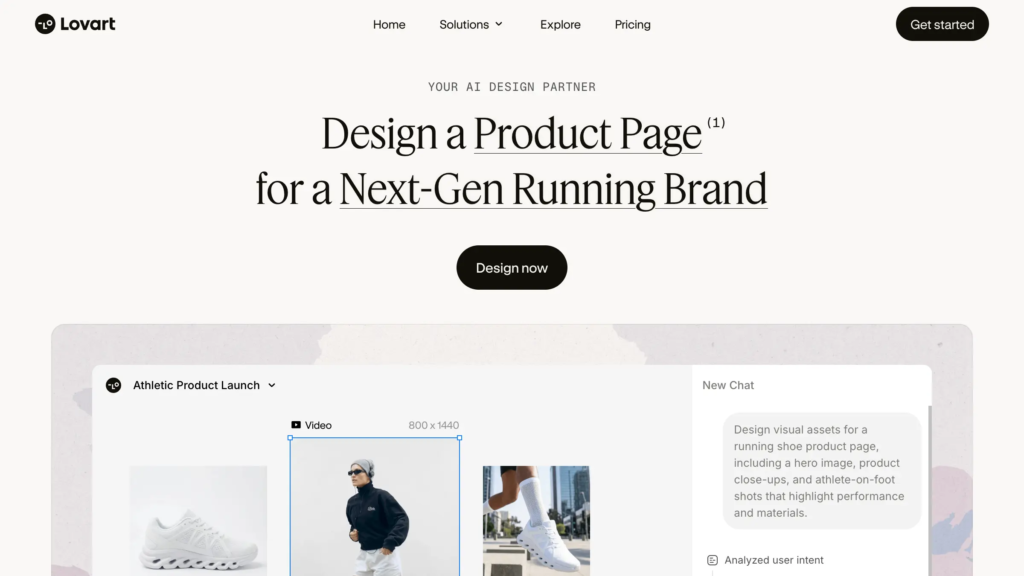
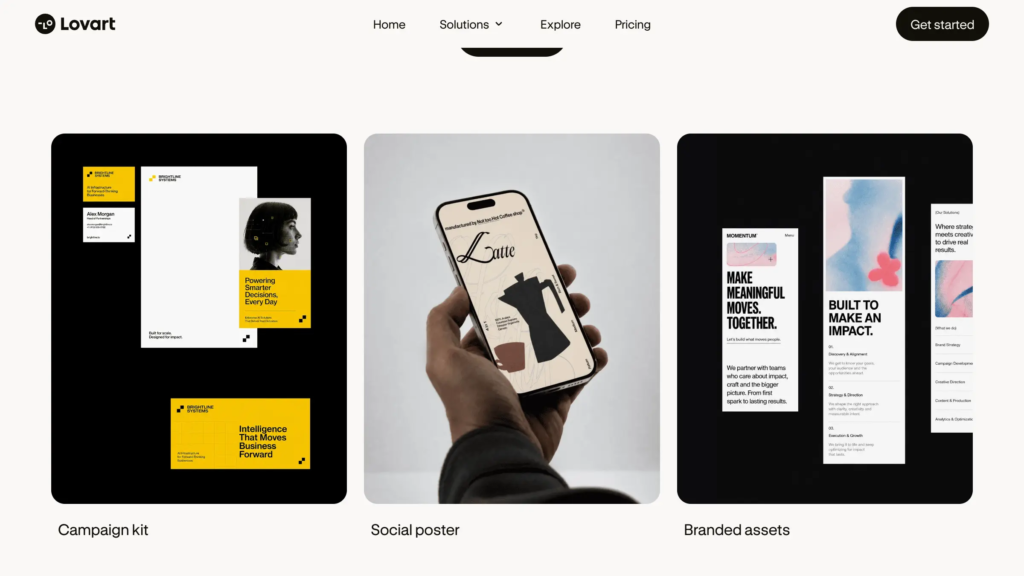
Lovart - From one brand prompt to logos, social content and video ads in a single AI design agent workspace
Lovart is an AI design agent built for founders, marketers, small business owners and designers who need a full set of on-brand visuals without hiring a creative team or juggling separate tools. Instead of generating a single image and stopping there, it works from one conversation to produce logos, packaging, posters, social content, product pages and video ads that share a consistent look.
The problem it targets is fragmentation. Traditional graphic design workflows scatter branding across an image generator, a template editor, a video tool and a slide app, and the pieces rarely match. Lovart runs everything on an infinite workspace it calls ChatCanvas, where you describe what you want, tap any element to change it, and tune color, type and layout through natural language. No design background or software installation is required, since the platform is browser-based and runs on a standard laptop with an internet connection.
Ease of use is a real strength for conversational editing, though anyone used to one-click generators should expect a short learning curve with the agent and canvas model. On data and security, Lovart is cloud-hosted with a published privacy policy and terms of use, and paid plans grant commercial usage rights for client work.
For scalability, Lovart connects several leading generation engines – among them Flux, Kling, Google Veo and GPT-4o image models – inside one interface, so output keeps pace as demands grow. A free plan with a daily credit allowance lets you test the full workflow before paying anything.
One honest caveat not stated on the site: the credit system is consumption-heavy. A complete brand project with several iterations can drain a monthly allocation quickly, and unused credits do not roll over – so Lovart fits iterative brand and marketing production far better than the occasional one-off edit.
"Lovart is a highly promising digital creation tool, especially well-suited for designers, illustrators, and product teams who value efficiency without compromising creativity. It lowers the technical barrier while retaining professional-grade control."
- feynman shi, from Product Hunt review of Lovart
"The AI actually asks good questions about your brand before designing which I didn't expect. Most tools just give you templates but this one thinks through your actual needs."
- Joey Turro, from Product Hunt review of Lovart
 Key Features:
 Key Features:
- AI design agent workflow: Describe a brief in plain language and Lovart plans and produces a full set of assets, then refines them through its Talk, Tab and Tune conversation model.
- Infinite ChatCanvas: Brainstorm, drop in references and edit every asset on one scrollable canvas instead of switching between separate apps.
- Touch Edit: Make a targeted change to a specific element while the rest of the design stays intact, so each edit is precise and intentional.
- Text Edit: Typography stays on editable layers, letting you move or rewrite copy without disturbing the composition around it.
- Style consistency: Lovart learns your style and holds it steady across iterations, formats and separate projects for a cohesive brand look.
- Multi-model generation: Leading image and video engines, including Flux, Kling, Google Veo and GPT-4o image models, are built into one interface.
- Visual Insights: The agent searches the web in real time and turns high-quality references into clear creative direction tailored to your brief.
- Multi-format brand output: Generate logos, packaging, posters, social posts, product pages and video ads from a single prompt.
 Why Use Lovart?
 Why Use Lovart?
- A full brand from one conversation: Lovart turns a single prompt into a coordinated set of logos, social content and video ads, so you are not rebuilding the same idea across four different tools.
- An agent that plans, not just generates: Lovart interprets your brand and audience before designing and asks useful questions, rather than handing back a generic template.
- Precise, layered editing: Touch Edit and Text Edit let you change one element or rewrite copy without re-prompting the whole design or losing what already works.
- Consistent style at scale: Your look stays recognizable across formats and projects, which matters when you are shipping assets for an entire campaign.
- Many models, one workspace: Reach leading image and video engines together in Lovart instead of subscribing to and juggling several separate generators.
 FAQ
FAQ
 FAQ
FAQWhat is Lovart?
Lovart is an AI design agent that turns a text prompt into complete, on-brand visuals - logos, social content, posters, product pages and video ads - inside a single infinite workspace called ChatCanvas, where you talk to the agent, tap to edit and tune layers by hand.
What makes Lovart different from Canva?
Canva is a template-first editor where you assemble designs yourself from pre-built layouts. Lovart works as an agent that plans and produces a coordinated set of assets from one prompt, keeps style consistent across formats and connects several image and video models inside the same canvas.
Is Lovart free or paid?
Lovart is freemium. A free plan provides a daily allowance of credits, around 100 per day, with no credit card required, which is enough to explore the core features. Paid subscriptions are credit-based and billed monthly or annually, with annual billing discounted, and they add commercial usage rights, higher credit volumes and a Team Plan for multiple users.
Does Lovart offer integrations?
Rather than plugging into third-party apps, Lovart integrates leading AI generation engines, such as Flux, Kling, Google Veo and GPT-4o image models, directly inside its canvas, and it can pull design references from the web in real time. Finished work is then exported and downloaded for use across your own channels.
How does Lovart handle privacy and data?
Lovart is a cloud-hosted platform with a published privacy policy and terms of use available at lovart.ai. Accounts are intended for individual use, and paid plans include commercial rights for the content you create, subject to the underlying model licenses and the platform terms.
Level up your Design & Creativity workflows
Explore Lovart
Official website