Imagine this: you’re a budding podcaster with great audio, passionate ideas, but low video editing skills and little time to clip, promote, or format your content for Shorts. YouTube just made that work a lot easier.
In September 2025, at its Made on YouTube live event in New York, YouTube announced a new suite of AI-powered features for podcasters. These include tools to automatically generate clips and Shorts from longer podcasts, and a way for audio-only podcasters to create video versions of their work. (TechCrunch)
This is a big leap in ai content creation and ai for content creation, especially for creators who want to extend their reach without learning every tool or hiring a video editor. Let’s break down what YouTube is doing, why it matters, where it could go, and what creators at different knowledge levels should know.
What YouTube Announced
- Clip Suggestions: Video podcast creators in the U.S. will soon get AI-powered suggestions for interesting or shareable clips. (TechCrunch)
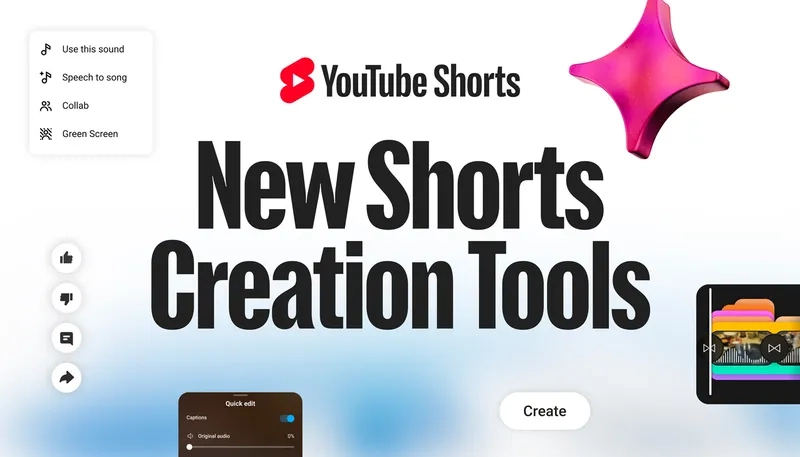
- Shorts Creation: Those clips will be transformable into YouTube Shorts (short, vertical video content), helping creators ride the wave of short-form trends. This feature is due early next year. (TechCrunch)
- Audio-to-Video for Podcasts: For creators who produce audio only, YouTube will help generate a video version — with visuals (likely animated or static plus waveforms etc.), so they can publish on video feeds. Initially to “select podcasters,” with a broader rollout planned. (TechCrunch)
YouTube also revealed that podcast consumption is substantial: over 100 million hours of podcasts are consumed daily on YouTube (as of July 2025), more than 30% of those hours start as livestream or premieres. (TechCrunch)
Why It Matters: Trends, Impact & Context
Riding the Short Form Wave
The bite-sized video trend (like TikTok, Instagram Reels) is massive. YouTube’s Shorts is their answer, but creators often face friction turning long audio/video work into short, engaging clips. AI suggestions + automated clip making bridges this gap.
Democratizing Video for Audio Podcasters
Many creators stick to audio: podcasts, interviews, radio shows. Often, they lack video production skills or resources. YouTube’s tools allow them to repurpose existing content, turning audio into video, increasing visibility on video-centric platforms. That’s powerful for outreach.
Efficiency & Workflow Boosts
AI tools speed up tedious tasks: finding which moments in a long podcast will make good clips; editing video; formatting video for vertical vs horizontal. For creators, that means more time making content, less doing low ROI editing work.
Competition & Platform Strategy
YouTube is pushing to remain competitive. Other platforms (Spotify, etc.) are also building better support for podcasts (video, engagement features, monetization). YouTube’s AI features are part of keeping podcasters committed to their platform. (TechCrunch)
Who Benefits & Who Should Be Cautious
For “Starters”
If you’re new, this is good news. These tools simplify what used to require editing skill, video software, etc. You’ll be able to focus on content more than format. No need to master video editing right away — YouTube helps you.
For “Explorers”
You probably already use a few tools (audio editors, maybe manual clipping). These new YouTube features will reduce friction. But you’ll want to compare how good the AI suggestions are, how much control you keep over what is clipped. You might still want third-party tools if you care deeply about custom style or branding.
What to Watch Out For
- Quality & Relevance of Clips: AI might pick clips that don’t align with your style or message. You’ll need to review and curate.
- Video Quality for Audio-Only Content: Generated visuals might look generic. If your brand depends on visual identity, these auto-video features might feel insufficient.
- Control vs Automation: Automation is great for speed, but you may lose finer control (branding, transitions, style) compared to manual editing or premium tools.
- Ethics & Voice Ownership: As platforms generate content from your audio, ensure you understand what rights you retain, how AI is trained, and whether there is transparency about what content is used.
Hands-On Use Cases
- Solo Podcaster: You record audio interviews, upload to podcast feed. Using YouTube’s audio-to-video tool, you convert them into video posts with waveforms + cover art. Then use clip suggestions to share trailers or soundbites as Shorts.
- Video Podcast with Long-Form Episodes: After recording a 1-hour video conversation, use AI to detect moments with high engagement (laughter, emotional peaks, surprising statements). Automatically create 30-60 second clips, post as Shorts to drive traffic back to full episode.
- Niche Creator with Limited Resources: Maybe you can’t afford video editors. You use YouTube’s AI tools to bridge that gap: auto-video creation and clip generation help you keep social media feeds active without outsourcing.
Relation to Existing Tools & AI Content Creation Ecosystem
These new YouTube features are part of a larger trend: making ai content creation more accessible. If you’ve followed the tools catalog on AI Tool Curator under its Content Creation section, you’ll see many tools aiming to assist in writing, image/video generation, voiceovers, etc. YouTube is now adding to that ecosystem — specifically targeting podcast creators and video/audio mashups.
Creators will likely combine YouTube’s offerings with external tools (for example video editing, voice-enhancement, branding overlays) to maintain polish, while leveraging YouTube’s AI to speed up social snippets and repurposing.
Ethical & Strategic Considerations
- Ownership & Licensing: When YouTube generates visuals/video from audio, what rights does the creator have? Does YouTube keep any usage rights or data? Always check terms.
- Transparency & Attribution: If AI suggestions or auto-generated content are used, disclosures may be necessary so audiences know what was created or edited by AI.
- Bias & Content Safety: AI systems may misinterpret content, choose clips out of context, or surface sensitive content. Creators need to monitor for these risks.
- Monetization & Platform Dependence: Using YouTube’s tools might mean more visibility there, but also more dependence on YouTube’s policies. Diversify presence where possible.
What’s Next: Where This Could Evolve
- Better personalization: AI suggesting clips tailored to audience behavior (what your viewers tend to watch/skip).
- More visual customization: Allow creators to pick themes, thumbnails, overlays in auto-video generation.
- Global rollout & multi-language support: Auto-subtitles, translations, etc.
- Integration with other tools: Tools in the ai content creation space (on the AI Tool Curator directory) might get flows that work with YouTube’s features — e.g. sending clips elsewhere, cross-posting.
FAQ
Can ChatGPT generate a podcast?
ChatGPT can help with ideation, scripting, generating content, even drafting episode outlines. But it doesn’t record audio or produce final sound/video files by itself. You’d need audio recording tools, editors, possibly human voice (or a text-to-speech) to produce a full podcast.
Can I create an AI podcast?
Yes — an AI podcast usually means some combination of AI-assisted scripting, text-to-speech voices, automated editing or clipping. But fully AI-generated podcasts often lack the human touch. Many creators combine AI for efficiency and creativity, rather than full automation.
Are podcast AI generators free?
Some tools or features are free or freemium, but more advanced ones (high-quality voices, branding, visuals, bulk video generation) tend to require paid tiers. YouTube’s new features may be rolled out gradually and perhaps for select creators first. Always check cost/subscription or eligibility.
Key Takeaways & Advice for Creators
- If you’re starting out (“The Starters”), these YouTube AI tools offer a great launchpad. Use them to repurpose content and increase reach with minimal technical overhead.
- If you’re exploring deeper (“The Explorers”), combine YouTube’s tools with external platforms for editing, style control, branding. Use them to speed up workflow, not replace craftsmanship.
- Keep your audience, brand voice, and content ethics in focus: automation should help, not dilute what makes you unique.
- Stay current: YouTube’s rollout will be phased; features like Shorts-creation and auto-video may be limited at first. Monitor availability, engage with early access if possible.
YouTube’s announcement marks another step in the ongoing evolution of ai for content creation. As these tools become more capable and more accessible, creators who adapt will find it easier to focus on creativity and connection, rather than just logistics.