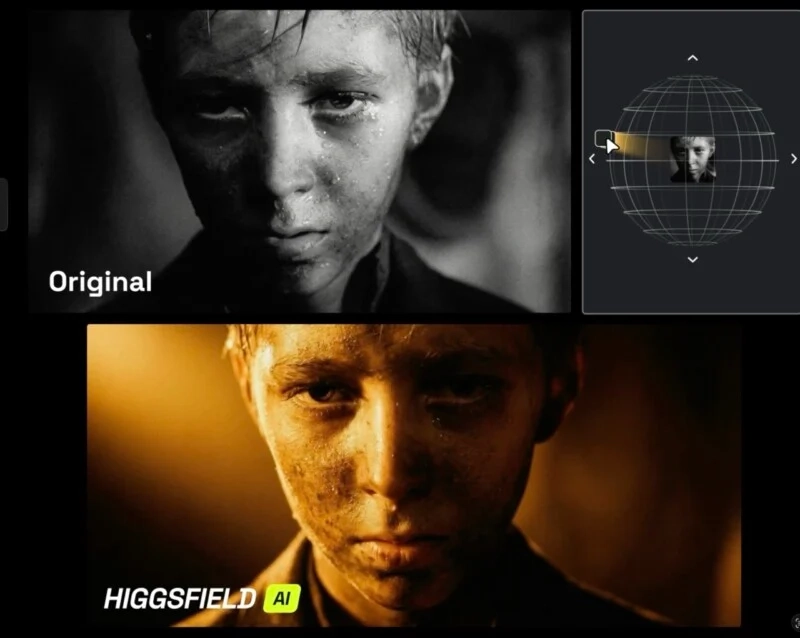
Lighting is one of the most defining factors in photography and digital imagery. It shapes depth, mood, realism, and where the viewer’s eye goes first. Historically, fixing poor lighting meant expensive studio gear, careful planning on set, or time-consuming post-production techniques like masking, dodging, burning, and color grading.
Higgsfield Relight changes that workflow. Instead of treating lighting as something you’re stuck with after you take the shot, Relight lets you re-create and refine illumination after the fact. Using generative AI and depth-aware scene understanding, it simulates how light behaves in a 3D space—so you can adjust direction, intensity, softness, and color temperature with precision.
In this recap, you’ll learn what Higgsfield Relight is, how it works, what features matter most, and how to use it for portraits, product photography, and cinematic creative effects.
What Is Higgsfield Relight?
Higgsfield Relight is an AI relighting tool designed to give you director-style control over image illumination. Unlike basic “brightness” or “exposure” filters, Relight aims to understand the scene structure and re-render lighting as if you placed a new light source in a studio.
From Flat Edits to Depth-Aware Lighting
Most photo edits are applied globally or through manual selections: you brighten shadows, pull down highlights, or paint a mask to target a subject. Relight takes a different approach by leveraging depth cues so the lighting change respects the subject’s geometry. The effect is closer to a real lighting setup: highlights land where they should, shadows fall naturally, and the subject separates from the background more convincingly.
How Relight Differs from Traditional Filters
- Filters: Adjust pixels in 2D (often uniformly) and can look flat or over-processed.
- Relight: Repositions a simulated light source (directional control) and re-renders illumination for a more “studio-like” result.
Why Lighting Still Defines Image Quality
Even with modern smartphone cameras and advanced editing apps, lighting remains the difference between “acceptable” and “professional.” Good lighting creates shape and texture; poor lighting makes faces look dull, products feel cheap, and scenes lose their intended mood.
The Limits of Capturing Perfect Light
Real-world constraints are everywhere: harsh midday sun, overhead indoor lighting, mixed color temperatures, or backlit scenes where the subject is too dark. Reshooting isn’t always possible—especially for social content, ecommerce deadlines, or event photography.
Post-Production Lighting Before AI
Traditionally, “fixing” light meant time and expertise: layer masks, local adjustments, frequency separation for skin, careful color grading, and sometimes complex compositing. That’s powerful, but it’s also slow—and it can be inconsistent across large batches of images. Tools like AI photo relighting aim to reduce effort while keeping results realistic.
How Higgsfield Relight Works
Relight uses AI to infer depth and scene structure, then simulates a light source in a 3D-aware space. Practically, this means you can change where the light comes from and how it behaves—without physically moving lights or rebuilding a scene.
AI Depth Mapping and 3D Light Reconstruction
Depth-aware editing matters because lighting is directional: moving the light changes which surfaces receive highlights, how shadows are cast, and how the subject stands out. By treating the scene as layered geometry, Relight can produce results that feel more natural than a simple exposure boost.
Direction, Intensity, Color, and Mood
Relight gives control over the core variables creators care about:
- Light direction: Place light front, side, top, back, or fine-tune off-axis angles.
- Intensity: Increase or reduce brightness to match the scene’s mood.
- Soft vs. hard: Choose smooth transitions or crisp shadows.
- Color temperature / gel color: Shift from neutral to warm, cool, or stylized neon looks.
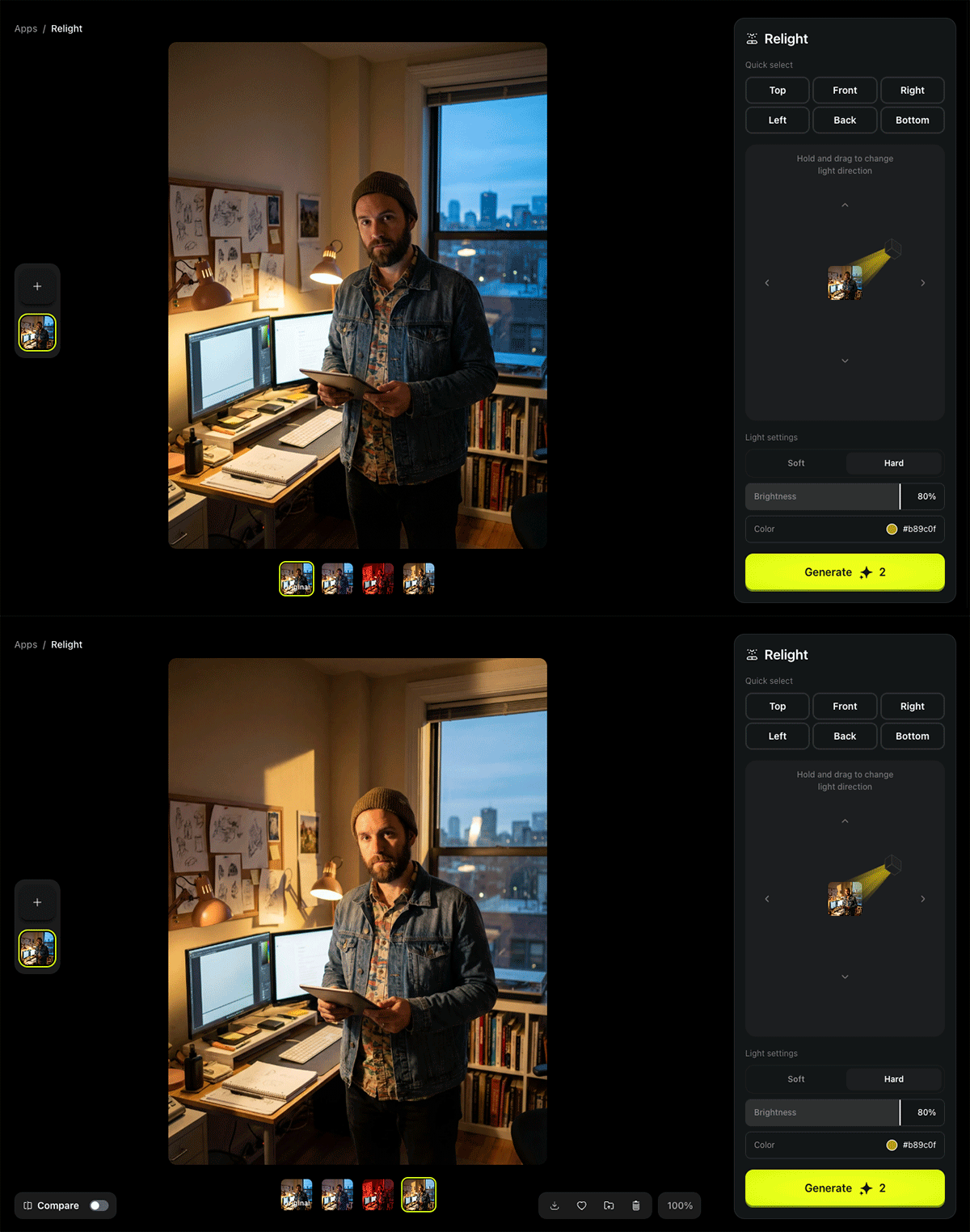
Key Features of Higgsfield Relight
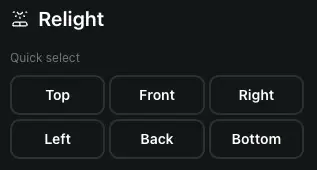
1) Quick Select Grid (Studio Presets)
The quick select grid provides fast, standard lighting positions such as Top, Front, Left, Right, Back, and Bottom. This is ideal when you want speed and consistency across a set of images.
Practical tip: Use Front to clean up common portrait issues. Use Back to create a dramatic rim light that outlines a subject and enhances separation.
2) Interactive Light Direction Pad
The direction pad is the “director’s control.” Dragging the control changes the light angle dynamically, allowing nuanced placement that presets can’t capture.
Example: A slight elevation above and to one side can emulate classic portrait lighting patterns used in studio work, producing more dimensional results than flat front light.

3) Light Quality Toggle: Soft vs. Hard
- Soft: Mimics large sources like window light or a softbox—gentle roll-off and smoother shadows (great for beauty, lifestyle, and flattering portraits).
- Hard: Mimics a small intense source—higher contrast and defined shadows (good for editorial, fashion, noir, or dramatic storytelling).
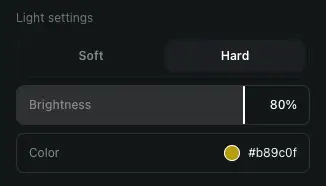
4) Fine-Tuning Controls: Brightness and Color
Once direction and quality are set, brightness and color refine the atmosphere. Precision control (including hex color input) makes it possible to simulate environmental lighting such as streetlamps, signage, screens, or stylized cinematic gels.
Best Use Cases for Higgsfield Relight
Save “Ruined” Portraits (Backlit or Underexposed)
Backlit selfies are a common issue: the background is exposed, but the face is too dark. With portrait relighting software like Relight, you can add front illumination that balances the subject without flattening the entire image.
Unique insight: When fixing backlight, prioritize subtlety. A moderate front light plus soft mode often looks more realistic than maximum brightness, because it preserves the scene’s original contrast cues.
Professional Product Photography (Depth and Texture)
Flat lighting makes products look lifeless. Side or top light creates micro-shadows and highlights that reveal texture, edges, and material quality—exactly what you want for ecommerce. For brands, this can help images feel more premium and consistent across catalogs.
Unique insight: For “premium” product visuals, try a soft side light first, then add a slight back/rim light if the product blends into the background.
Creative & Artistic Effects (Cinematic and Stylized Looks)
Relight also works as a creative tool. Want a cyberpunk vibe? Push colored lighting toward neon hues. Want noir? Use hard side light to create deep shadows and dramatic contrast. This kind of cinematic lighting AI is especially useful for posters, thumbnails, campaign concepts, and social visuals that need to stop the scroll.
How to Use Relight in Higgsfield: Step-by-Step
- Upload your image into the Higgsfield interface.
- Open the Relight feature and locate the lighting controls panel.
- Pick a preset (Front, Back, Left, Right, Top, Bottom) to establish a baseline.
- Fine-tune direction using the interactive direction pad for an exact angle.
- Choose Soft or Hard depending on whether you want flattering or dramatic shadows.
- Adjust brightness to match the intended exposure and mood.
- Set color (including hex codes) if you want warm/cool shifts or stylized gels.
- Generate and review the result; iterate with small changes for realism.
Relight vs Traditional Editing Tools
Relight is not “better” than manual editing in every case, but it excels at speed, repeatability, and creative exploration. Compared to traditional workflows, it reduces the need for complex masking and layered edits when the goal is directional lighting changes.
- Faster: Director-style lighting changes in seconds.
- More intuitive: Think in lights (direction/quality), not just sliders.
- Consistent: Presets help maintain a coherent lighting style across a series.
Quick Takeaways
- Higgsfield Relight lets you reshape lighting after capture with depth-aware AI.
- Control direction, soft vs. hard, brightness, and color.
- Great for rescuing backlit portraits and uneven exposure.
- Boosts ecommerce images by adding depth, texture, and premium lighting.
- Enables cinematic and stylized looks without complex post-production.
- Presets speed up workflow; the direction pad enables precise creative control.
Conclusion: Director-Level Lighting for Everyone
Higgsfield Relight turns lighting from a limitation into a creative choice. Instead of settling for whatever illumination happened in the moment, you can rebuild light as if you were working in a studio—choosing direction, softness, intensity, and color to match the mood you want to deliver.
That matters for real-world creation: backlit portraits become usable, product shots gain dimension and polish, and creative concepts can be explored faster than a traditional editing workflow would allow. The biggest shift is psychological: Relight encourages you to think like a director, treating light as storytelling—not just correction.
If you create content regularly—marketing visuals, ecommerce assets, creator posts, or editorial imagery—Relight is worth testing as a new baseline workflow. Start with subtle, realistic improvements, then experiment with bolder cinematic lighting once you’re comfortable.
FAQs
1) What is AI photo relighting?
AI photo relighting uses machine learning to adjust illumination in an image—often by simulating new light direction and intensity—so results feel more natural than basic exposure edits.
2) Is Higgsfield Relight good for portraits?
Yes. It’s especially useful for backlit portraits and uneven facial lighting, where directional front or side light can restore detail without flattening the scene.
3) Can I use Relight for ecommerce product photos?
Yes. Product photography lighting AI helps add depth and texture so products look more premium and consistent across a catalog.
4) What’s the difference between soft and hard light?
Soft light produces smoother shadow transitions (flattering, natural). Hard light creates sharper shadows and higher contrast (dramatic, cinematic).
5) Do I need professional editing skills to use Higgsfield Relight?
No. The preset grid and interactive direction pad are designed for fast, intuitive control—even if you’re not an advanced retoucher.
Reader Feedback and Share
If you try Higgsfield Relight, what do you use it for most: fixing portraits, enhancing products, or creating cinematic effects? Share your results and send this post to someone who cares about lighting.